

Essential UX Research Methods for Product Design
In 1993, Jakob Nielsen watched a participant stare at a checkout screen for four minutes before abandoning a cart. The interface looked fine in the conference room. In a real session, it failed. That gap between what teams assume and what users do is the reason UX research exists. This article maps the methods that close it: user interviews, usability testing, and surveys — plus the mechanism for turning findings into design decisions your stakeholders will accept.
What Are the Most Important UX Research Methods?
Which methods matter most? The ones that match your question, your product phase, and whether you need to know why or how many.
According to Nielsen Norman Group, researchers map roughly 20 UX methods across three dimensions: attitudinal versus behavioral, qualitative versus quantitative, and the context of product use. Methods also align with development phases — generative work to strategize, formative work to shape design, summative work to assess after launch. Qualitative methods answer why or how to fix a problem. Quantitative methods answer how many and how much. As NN/g notes, having such numbers helps prioritize resources.
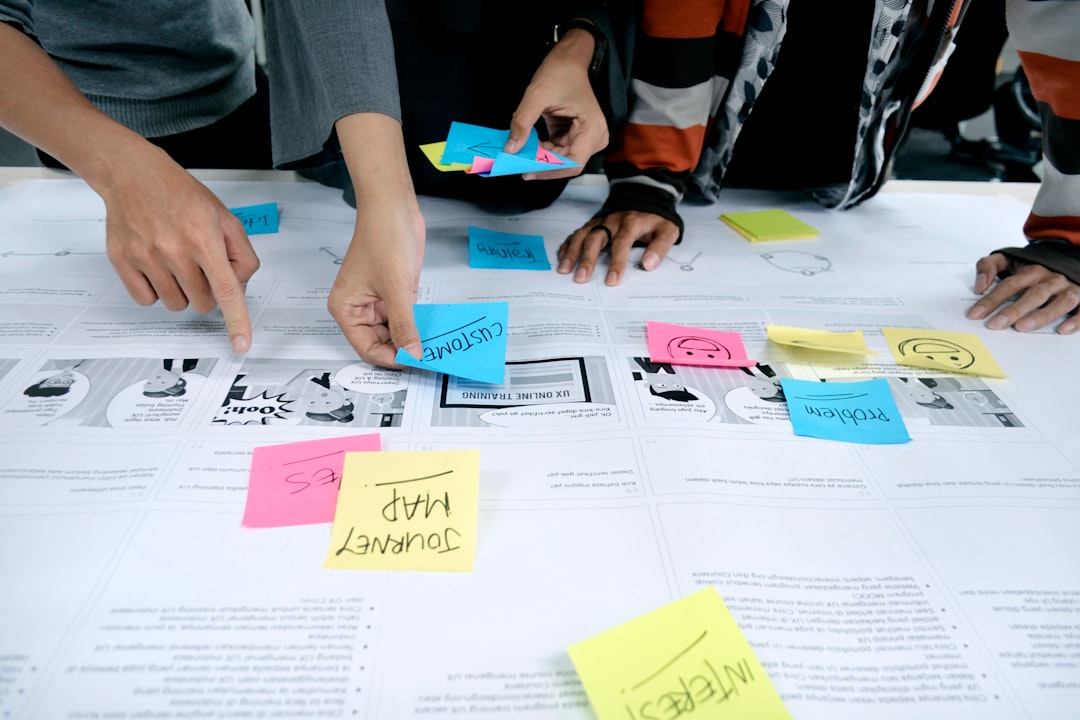
Most teams default to one or two methods. That is opinion gathering dressed as research. Nearly every project benefits from combining methods — interviews to surface mental models, usability tests to watch behavior, surveys to measure scale. The mechanism is triangulation: one method reveals a pattern; a second confirms it; a third tells you whether it affects 5% of users or 50%.
Qualitative vs Quantitative UX Research
Qualitative research is a microscope. Quantitative research is a census. Both are necessary; neither replaces the other.
Nielsen Norman Group draws a sharp line. Qualitative usability testing uses 5–8 participants and directly identifies the main usability problems in an interface — formative work that informs the next design iteration. Quantitative usability testing requires 30 or more participants and delivers summative evaluation through metrics like task completion rate, task time, and satisfaction ratings. Quant studies are the only method that lets teams put a number on a redesign and calculate return on investment for usability improvements.
User Interviews frames the same split in output terms: qualitative testing produces narrative data explaining why users struggle; quantitative testing produces numeric data showing what percentage encounter problems. This is not to say analytics replace either. Analytics tell you what happened at scale. They rarely tell you why a flow broke for a specific persona on a specific device.
How Many Users Do You Need?
How many participants? Five for discovery. Thirty for proof. The number follows the question, not the budget wish.
Nielsen Norman Group recommends testing 5 users in a qualitative usability study. Testing with 5 people lets you find almost as many usability problems as you would using many more participants — roughly 85% of issues surface at that sample size. Return on investment drops sharply when you add users to a qualitative study; extra budget should fund additional studies, not larger single studies.
Quantitative studies need at least 20 users for statistically meaningful numbers; tight confidence intervals require 40 or more. If you serve multiple distinct audiences, test 3–4 users per group rather than 5 from a single group. The mechanism: qualitative saturation arrives fast; statistical significance arrives slowly.
How to Run a Usability Test in One Week
Can you run a credible usability test in seven days? Yes — if you follow a sequence instead of improvising.
Jakob Nielsen, who codified much of modern usability practice, describes a 12-step process: define the problem, set goals, select methods, recruit participants, write the test plan, prepare the environment, run a pilot, facilitate sessions, analyze results, report findings, follow up, and plan the next study. The difference between opinion soup and a study that yields durable, defensible decisions lies in the process. A systematic sequence controls bias, creates traceability, and protects velocity.
Here is a one-week compression of that sequence:
- Day 1 — Define and plan. Write 3–5 task scenarios that describe user goals, not interface clicks. Task quality determines insight quality. Leading tasks produce false confidence.
- Day 2 — Recruit. Target 5–8 participants who match your primary persona. For qualitative-only tests, 5–10 testers overall is sufficient; more than 10 rarely reveals new insights.
- Day 3 — Pilot. Run one session, fix the prototype, refine probes. Moderators should use think-aloud protocols and neutral questions like "What did you expect would happen?" rather than leading questions.
- Days 4–5 — Facilitate. Conduct sessions. Allocate roughly 90% of usability-testing resources to qualitative studies and 10% to quantitative studies when budget is limited.
- Day 6 — Analyze. Tag issues by severity and frequency across sessions. Cluster related failures into root causes.
- Day 7 — Report. Deliver findings with clips, severity ratings, and specific design recommendations tied to observed behavior.
Remote research follows the same skeleton. Use screen-sharing tools, record sessions with consent, and test in the environment users actually use — mobile on mobile, not desktop simulators. Remote sessions trade some observational nuance for faster recruitment and geographic diversity. The mechanism remains identical: watch users attempt real tasks, document where they fail, fix what matters most.
When to Use Surveys, Interviews, or Analytics
Which instrument fits which question? Match the tool to the uncertainty you face.
- User interviews — Use when you do not yet know what problems exist. Interviews surface motivations, vocabulary, and workflow context. Best in generative and early formative phases.
- Usability testing — Use when you have a prototype or live product and need to watch task completion. As User Interviews notes, usability testing explores how well your target audience accomplishes the things you want them to do — which should align with what they want to accomplish.
- Surveys — Use when you have defined questions and need responses from dozens or hundreds of users. Surveys quantify attitudes and satisfaction; they do not explain behavior on their own.
- Analytics — Use when the product is live and you need continuous behavioral data at scale. Analytics detect drops in conversion; they rarely diagnose the interface element causing the drop.
Surveys measure opinion at scale. Interviews explain opinion at depth. Analytics measure behavior at scale. Usability tests explain behavior at depth. Combine a survey finding ("40% of users report confusion at checkout") with five usability sessions ("users cannot find the promo code field") and you have both priority and prescription.
How to Present UX Research Findings to Stakeholders
How do you make research stick in a roadmap meeting? Lead with decisions, not methodology.
Stakeholders do not need your recruitment screener. They need three things: what you tested, what broke, and what to fix first. Structure the presentation around severity-ranked findings, each backed by a short video clip or direct quote. Tie every recommendation to a metric the business already tracks — completion rate, support tickets, time-on-task.
When quantitative data exists, show before-and-after projections. NN/g's distinction applies here: qualitative findings name the problems; quantitative findings justify the investment to fix them. A single slide with five critical issues and estimated user impact outperforms a forty-page report no one reads.
End with a concrete next step: which two issues ship in the next sprint, which require a follow-up study, and when you will retest. Research that does not connect to a decision is documentation, not insight.
From Findings to Better Products
UX research is not a phase you finish before launch. It is a feedback loop you maintain after shipping. User interviews discover what matters. Usability tests reveal where design fails. Surveys and analytics measure whether fixes worked at scale. The teams that combine these methods — rather than betting on one — build products that match how people actually behave, not how conference rooms imagine they will.
Start with five users, one week, and three tasks. The mechanism is simple: observe real behavior, rank what breaks, fix what breaks most. Everything else in this field is elaboration on that sequence.